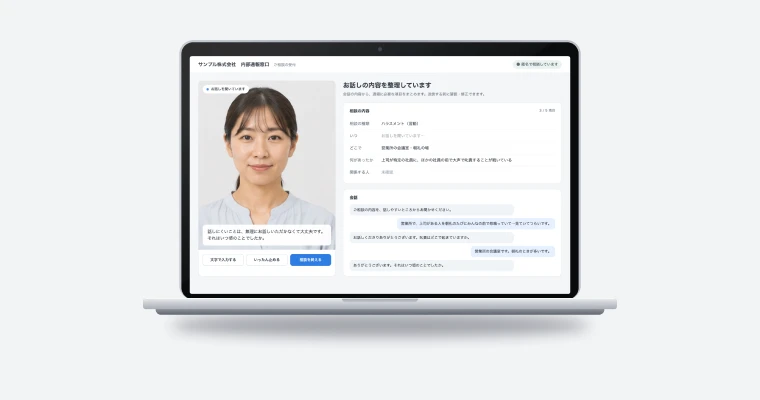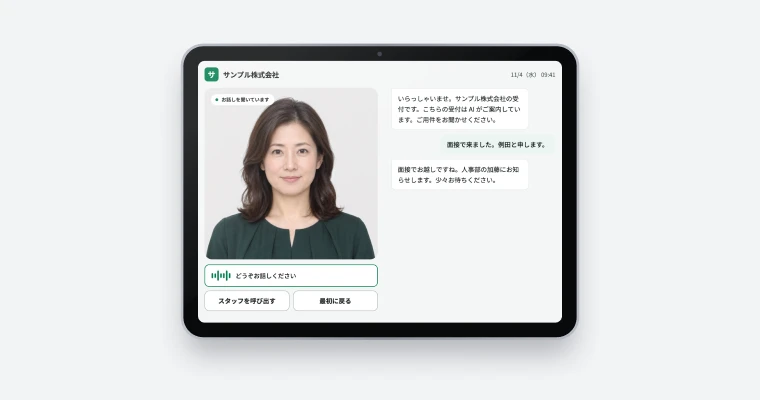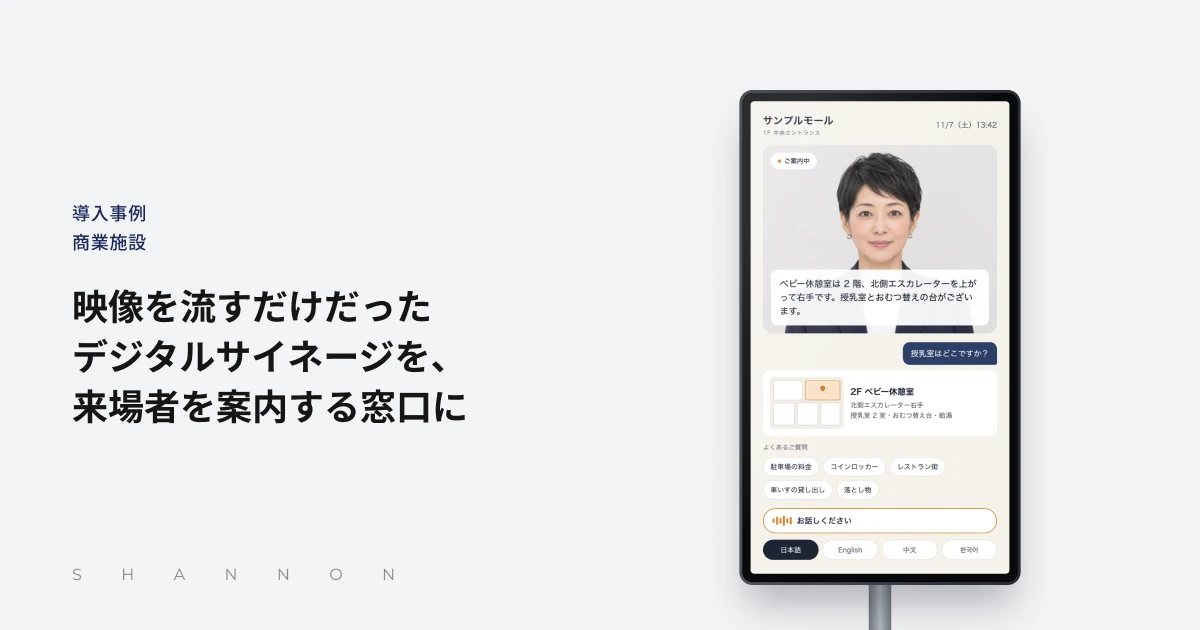
A conversational AI avatar on digital signage greets visitors and guides them around the facility.
Challenges before adoption
- Signage only looped pre-made videos and could not answer questions
- Visitors far from the information desk sometimes wandered, lost
- Keeping guidance quality across the facility with limited staff was hard
Results after adoption
- The avatar greets visitors, answers questions and guides them
- Visitors get the information they need even where no guide is present
- Several avatars are used to suit each location and type of guidance
| Customer | A commercial facility |
|---|---|
| Product | avacast |
| Adopted | 2026 |
This commercial facility houses many retail and dining tenants. On weekdays it serves shoppers from the surrounding area, and on weekends families and visitors from further away. Seasonal events and tenant changes are frequent, so the information visitors want changes day by day. The operator has long regarded helping visitors reach where they want to go without getting lost, and enjoy their time, as an important part of the facility’s appeal.
The facility already had many digital signage screens, but their role was limited to playing pre-made videos on a loop. To turn this signage into a point of guidance that can talk with visitors, the facility used avacast, an AI avatar API, to add a conversational avatar. Here is how that came about and what it changed.
Signage that only broadcast in one direction
In commercial facilities, digital signage is widely used to introduce tenants, announce events and show floor guides. This facility had placed screens in corridors, atriums and in front of elevators, playing its announcements as video.
Video, however, works in one direction only. When visitors wanted to know where a particular shop was or where an event was being held, asking the screen got no answer. They had to wait for the right video, look for a floor map or walk to the information desk.
From the visitor’s side, the information was also hard to take in. Before the information they wanted appeared, visitors had to sit through introductions of other tenants and other announcements. Few stopped to watch, and much of the information passed by without reaching the people who needed it.
Updating the videos was a burden for the operations team, too. Every tenant change or schedule change meant reworking the videos, and keeping every screen up to date took effort. The more screens there were, the larger the gap between what the signage could do and what it actually did.
Signage sits where visitors’ eyes naturally fall and is one of the most-viewed fixtures in the facility. Whether it could be used as a point that answers visitors’ questions became the starting point of this project.
Getting lost away from the information desk
The facility has an information desk, but visitors usually get lost far from it. In a large facility the route from the entrance to a given shop is long, and many visitors lose track of where they are or which way to go.
Guides sometimes walk the floors to offer help, but staffing the whole facility at all times is not realistic. On weekends and during events, inquiries concentrated at the desk while visitors elsewhere wandered without help. When a queue formed at the desk, visitors had to wait, which for those in a hurry or with small children could spoil their impression of the facility.
Many inquiries were repeated ones: where a shop is, opening hours, event venues, restrooms or nursing rooms. Time spent on these routine questions sometimes left staff without enough time for visitors who needed more attentive help.
The challenge was to let visitors get the information they need anywhere in the facility, and to keep guidance quality high, with limited staff.
Options for keeping guidance quality without more staff
The facility compared several approaches. Adding guides is the most reliable, but keeping enough staff to cover the whole facility at all times is difficult, and in a commercial facility with large swings in traffic it is not efficient.
Touch-panel information kiosks were also considered. They work well for floor maps and tenant lists, but visitors have to operate the screen themselves to find what they want, which can be more of a hassle for those unused to touch screens or in a hurry.
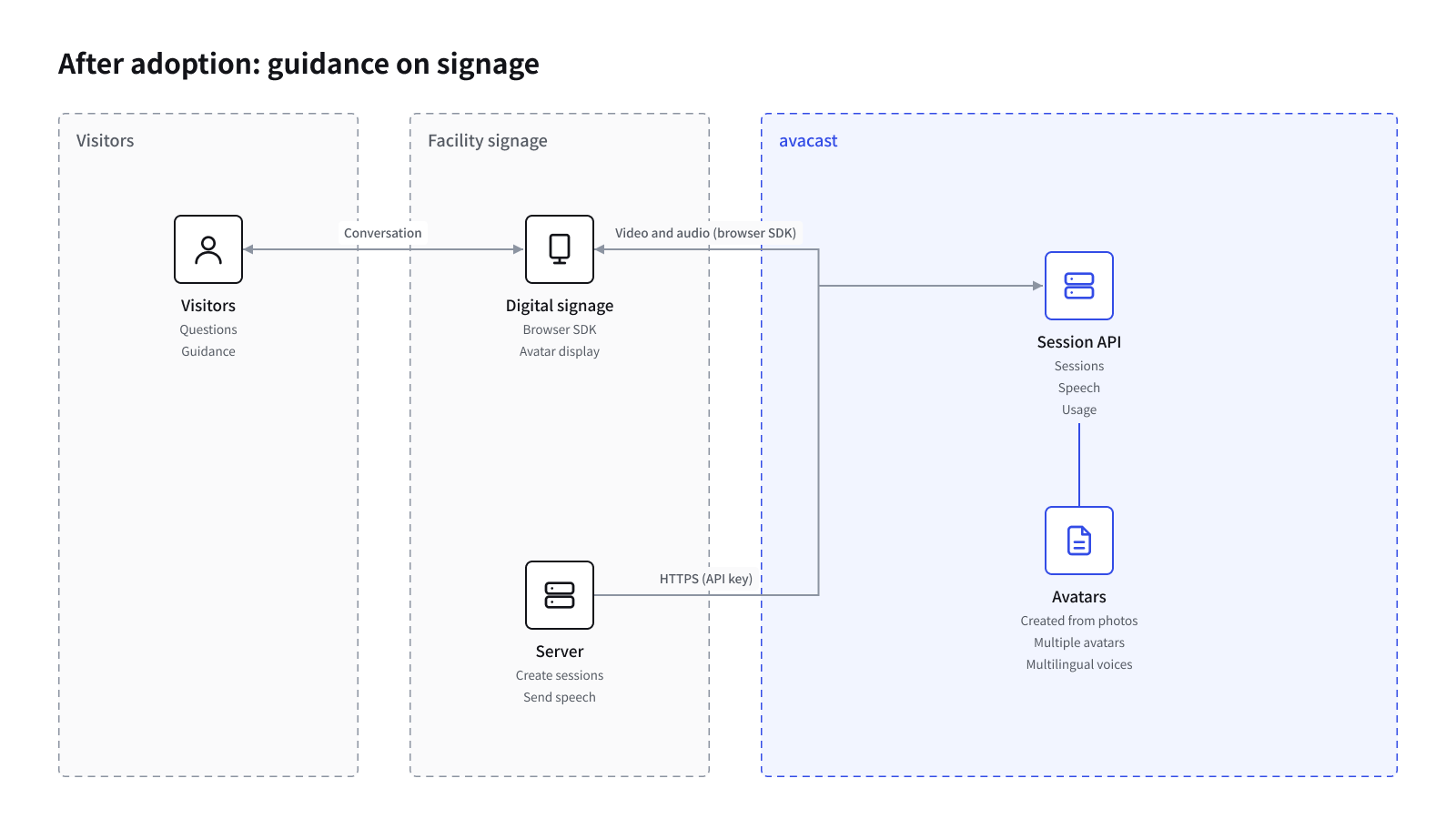
Building an avatar system in-house was considered as well. Generating avatar video, synthesizing speech and matching mouth movement, then keeping it all running reliably during opening hours, would have demanded development and operations capacity that a facility operator does not have. The facility decided to use an existing API.
What it focused on instead was showing a conversational avatar on the signage it already had. Visitors simply speak to the screen and the avatar answers in words, and no large new installation is needed.
The facility chose avacast, an AI avatar API, because a real-time conversational avatar can be built into the signage screen with the API and SDK. Support for many languages, including Japanese, English and Chinese, which would allow guidance to be extended to visitors from overseas, was another reason.
Building the avatar into existing signage
The facility created avatars from photos and built them into the signage screens. The avatar appears on screen; when a visitor approaches and speaks, it greets them and answers their questions.
What the avatar talks about was set up around the facility’s guidance: shop locations, floor layout, opening hours and event information, focusing on the questions visitors ask most often. The record of inquiries accumulated at the information desk was very useful in deciding which questions to prepare for.
Operation began with screens in places where visitors tend to get lost. Watching how real visitors spoke and what words they used, the facility gradually adjusted the guidance content and wording. Guides were also told what the avatar says so that its answers and theirs would not conflict.
The installation also had to suit the environment. Corridors are busy and noisy, so the facility checked, screen by screen, where visitors could comfortably stand and speak and what speaking speed made the avatar easy to hear.
Updating guidance no longer requires reworking videos. When events or tenant information change, reviewing what the avatar says is enough, which makes it easier to keep the signage current.
Different avatars for different places and purposes
The facility uses several avatars rather than one. The screen that welcomes visitors at the entrance and a screen next to a particular sales area call for different guidance and a different atmosphere.
For example, a calm-looking avatar may handle facility-wide guidance, while a brighter one appears near an event venue. Because avatars can be created from photos, it is easy to prepare one that suits each purpose.
The avatar moves its mouth in step with what it says, so visitors feel they are talking with someone on the screen. In front of signage that people once only glanced at, visitors now stop and speak.
Using several avatars also expresses the facility’s character. Switching avatars to match a seasonal event, for instance, changes the impression of the signage without reworking any video.
Changes for visitors and guides
The avatar now greets visitors, answers their questions and guides them around the facility. Even where no guide is present, visitors can learn where a shop is or what is on simply by speaking to the nearest screen.
For guides, the change is also significant. With the avatar taking on some of the routine questions, guides can spend more time on help that needs a person, such as lost children or accompanying elderly visitors.
The role of the signage itself is changing. Once a fixture for broadcasting announcements, it now works as a point of guidance that connects visitors and the facility. The points that shape the facility’s impression have spread beyond the information desk.
The operations team’s load has also eased. Changes to events or tenant information are reflected by reviewing what the avatar says, and outdated guidance is less likely to linger on screen.
Extending to multilingual guidance
The facility plans to extend the avatar to multilingual guidance for visitors from overseas. Staff who can handle inquiries in other languages are limited, and language barriers often affect the quality of guidance.
Because avacast supports many languages, including Japanese, English and Chinese, the same signage is expected to offer guidance in the visitor’s language. Together with matching avatars to each place and purpose, the facility aims to make every piece of information reachable from anywhere in the building, in any language.
It also plans to extend the avatar to more screens as it observes how visitors move, and to broaden what the avatar can answer based on the questions visitors actually ask. By combining guidance from people with guidance from avatars, the facility intends to keep making its spaces easier for every visitor.
Key features
- Avatars from photos
- Real-time conversation (API and SDK)
- Multiple avatars
- Multilingual voices