Visitor reception for offices

Office reception on a single tablet

AI Recept is a visitor reception system for offices that runs on a single tablet. Visitors pick their purpose and the person they are visiting on screen and enter their name and company, and that person is notified in Google Chat. With a paid add-on, visitors simply talk to an avatar on the tablet to check in. SHANNON develops it, and MFP Co., Ltd. provides it.

AI Recept screen

Check in by tapping

Visitors pick their purpose and the person they are visiting and enter their name and company, and that person is notified in Google Chat.

An AI avatar to talk to

With the add-on, AI asks the visitor’s purpose and host through an avatar, finds the person in the staff directory and notifies them.

Core features are free

Tablet check-in, notifications, pre-registered visits, records and CSV are free. AI avatar reception is a monthly add-on.

Demo

How it works

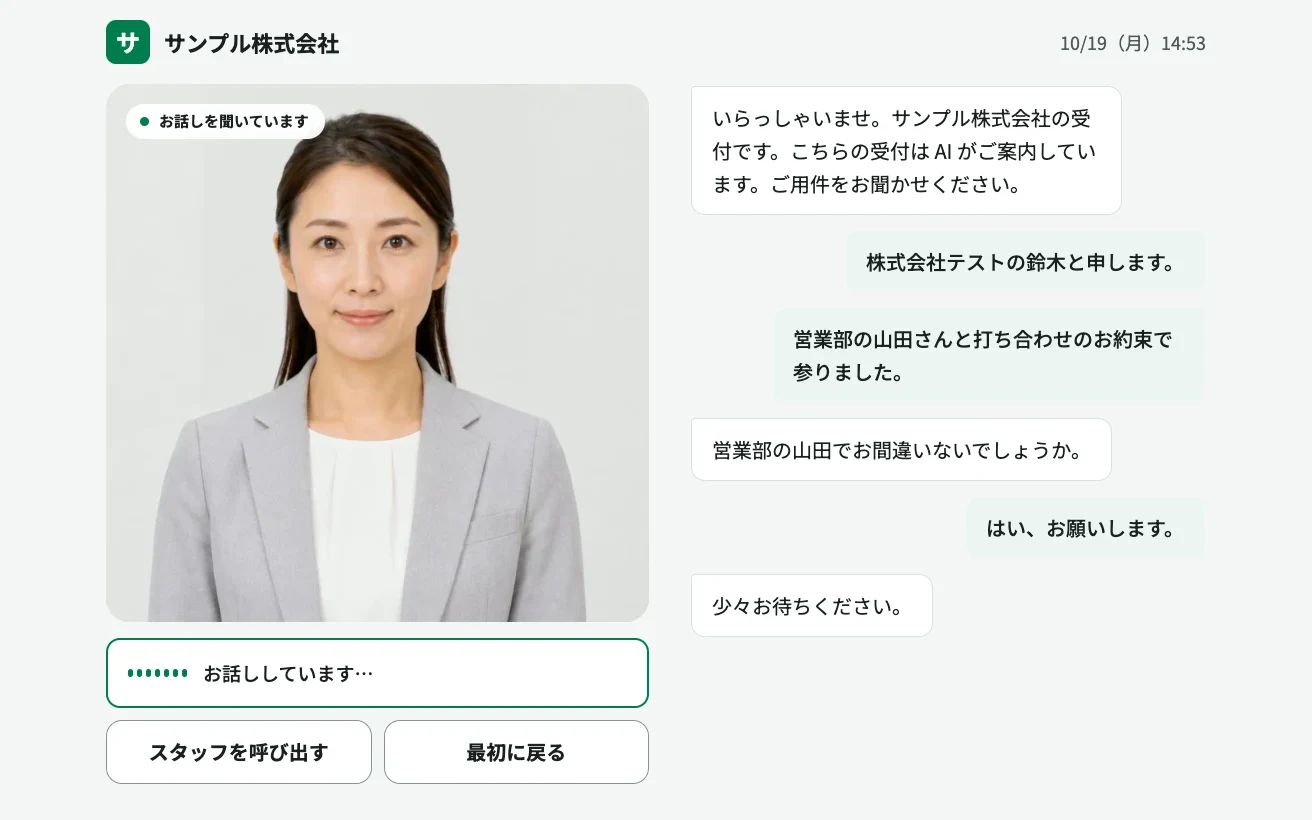
The AI avatar reception screen. The visitor talks to the avatar, and the AI asks their purpose and who they are visiting, finds and confirms that person in the staff directory, and notifies them in Google Chat (sample data, Japanese UI).

AI avatar reception screen: the avatar on the left with Call staff and Start over buttons, and the conversation with the visitor on the right
Features

What AI Recept does

Tablet check-in with Google Chat notifications

Visitors choose their purpose (appointment, delivery, interview and so on) and the person they are visiting on screen, then enter their name and company. A notice naming that person arrives in your Google Chat space. For each purpose you choose whether to look up a person and what the screen says afterwards.

  • Purposes and on-screen wording set per company
  • If the person is unknown, the main contact is notified
  • A web screen opened in the tablet browser; no app to install
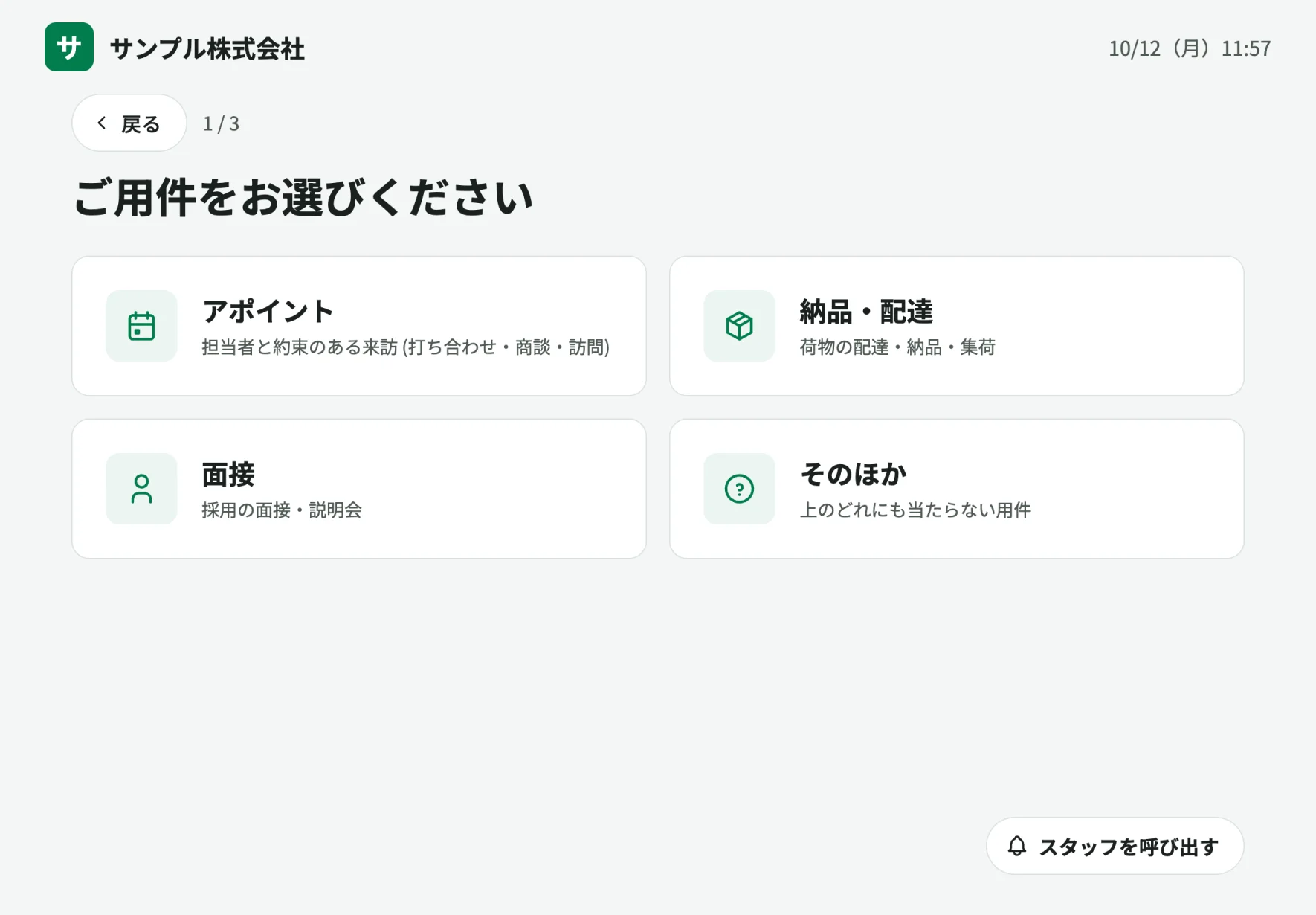
Reception tablet screen listing purposes: appointment, delivery, interview and other

Pre-registered visits and QR check-in

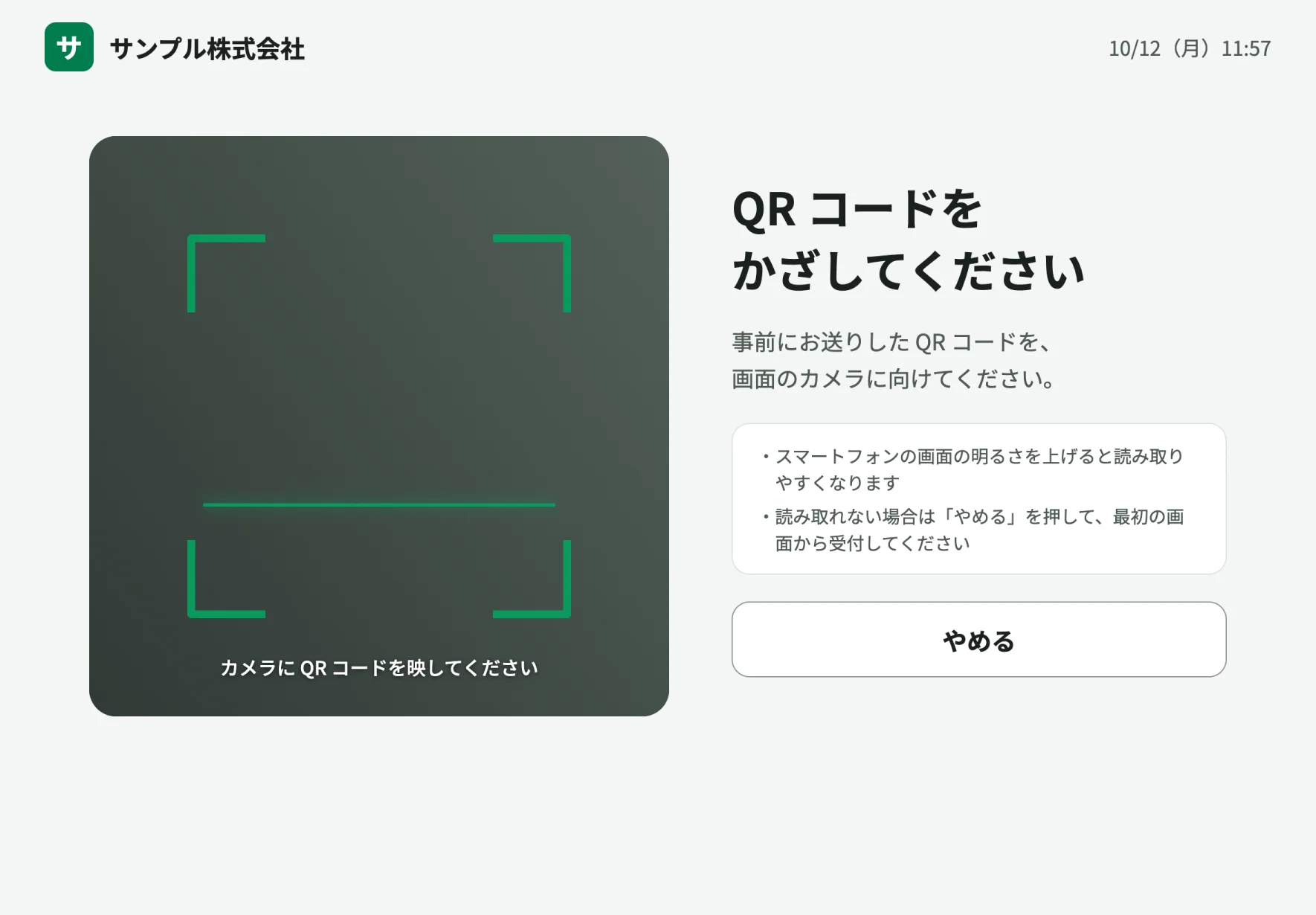
Register a visitor’s name, company, date and host in the admin screen, and AI Recept issues a link and QR code to send to the visitor. On the day, the visitor holds the QR code up to the tablet camera to check in, and the host is notified.

  • QR codes are accepted only on the day of the visit
  • Scanning the same code twice sends one notice
  • The host copies the link and sends it to the visitor
QR check-in screen asking the visitor to hold their QR code up to the camera

Visit records and metrics

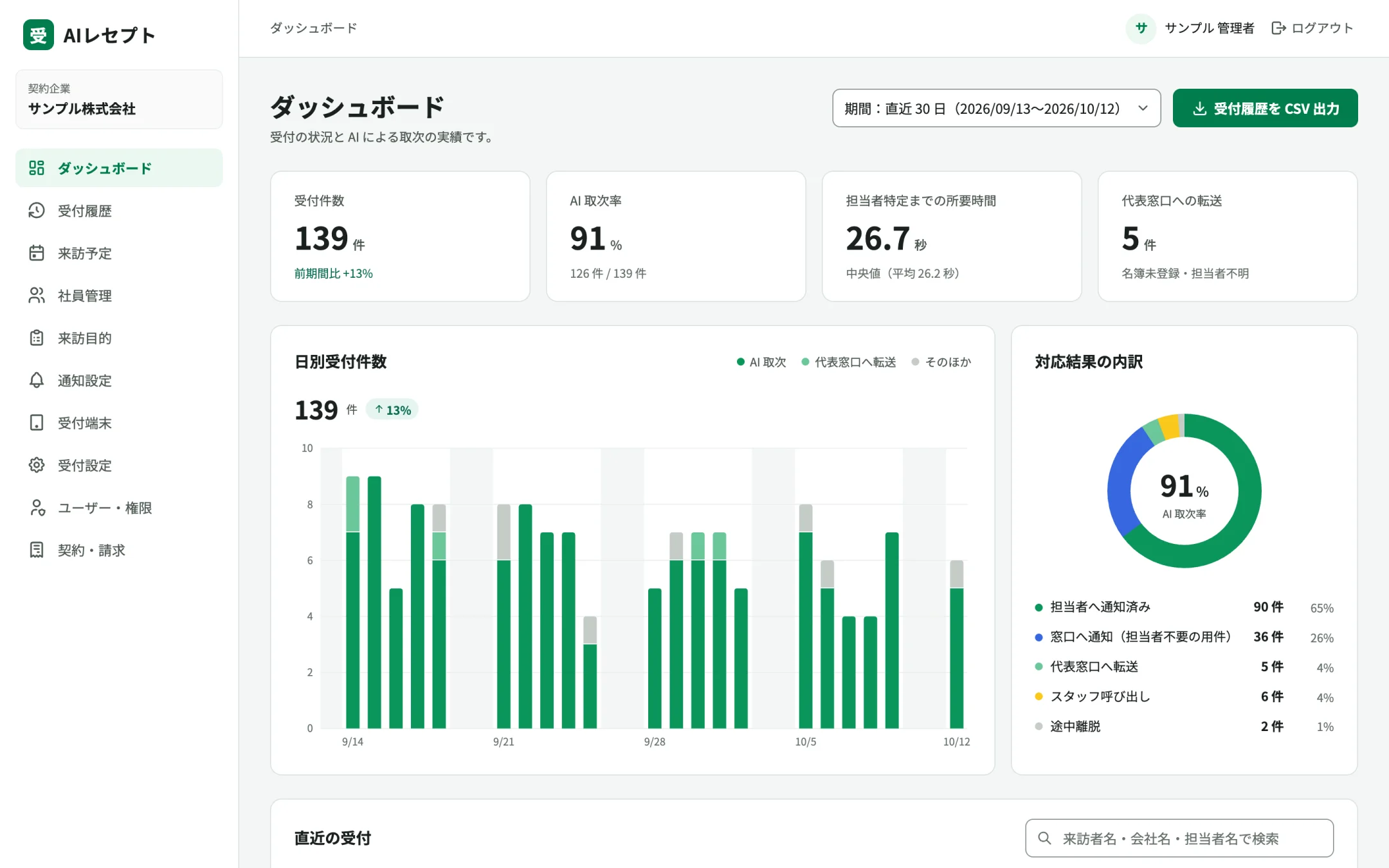
Each check-in is recorded with the date, location, result, host, and the visitor’s name and company. The admin screen shows check-in counts and how long it took to identify the host, and records can be exported as CSV.

  • Export visit records as CSV
  • Two roles: owner and staff
  • Sign in with an email link or a passkey
AI Recept admin dashboard with check-in counts, daily check-ins and a breakdown of results
Pricing

Pricing

Tablet check-in, notifications and records are free. Checking in by talking to an AI avatar is a monthly add-on.

AI avatar reception
¥19,800 / month

Add-on. 300 minutes included, then ¥40 per minute. No setup fee

Prices exclude tax. Payment by credit card. Full pricing on the product site

Flow

Getting started

From sign-up to production.

  1. Create an account

    Sign up on the product site and enter your company name to get a registration code for your reception tablet.

  2. Register the tablet

    Open the reception screen in the tablet browser and enter the code. There is no app to install.

  3. Set up the directory and notifications

    Add your staff directory and visit purposes, and register the Google Chat space that receives notices.

  4. Start receiving visitors

    Start checking visitors in and review records in the admin screen. Add AI avatar reception from the admin screen.

FAQ

FAQ

It is a web screen opened in the tablet browser, so there is no app to install. AI avatar reception uses the microphone and audio playback, so behavior can vary with the device and browser settings. Please try it on your own device before rollout.
The main contact, such as general affairs, is notified. Purposes that do not need a host, such as deliveries, also go to the main contact.
Not at the moment. Notifications go to a Google Chat space only.
The visitor talks to the avatar on the tablet. The AI asks their purpose and who they are visiting, finds and confirms the person in the staff directory, and notifies them. The avatar runs on SHANNON’s avacast and the voice conversation on voicast.

Talk to us about AI Recept.

We reply within two business days.