Security-guard operations SaaS

Guard operations, from paper and phone to the cloud

Security Sign is a cloud system that brings assignments, slips and attendance together with training records and the statutory documents required under the Security Business Act. AI assignment, e-signatures, GPS check-in and check-out, and training and guard registers move paper and phone-based work to the cloud. In October 2026 the product was fully redesigned into three services: Operations, Training and Statutory documents. It is co-developed and run with a partner company, for security and construction companies.

Security Sign screen

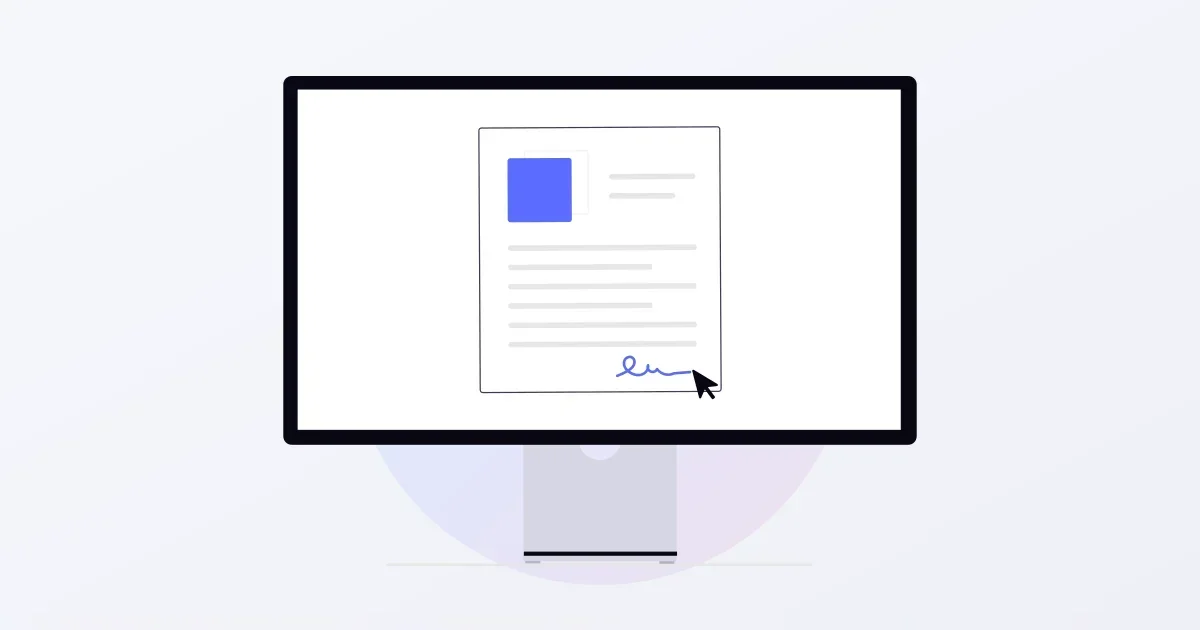
Paperless with e-signatures

Collect on-site signatures on a smartphone, with tamper protection and an audit log for compliance.

GPS check-in and check-out

GPS records the place and time of check-in and check-out, replacing phone checks.

AI assignment

Headcount, qualifications, days off and duplicate avoidance weighed at once to create an assignment plan.

Demo

How it works

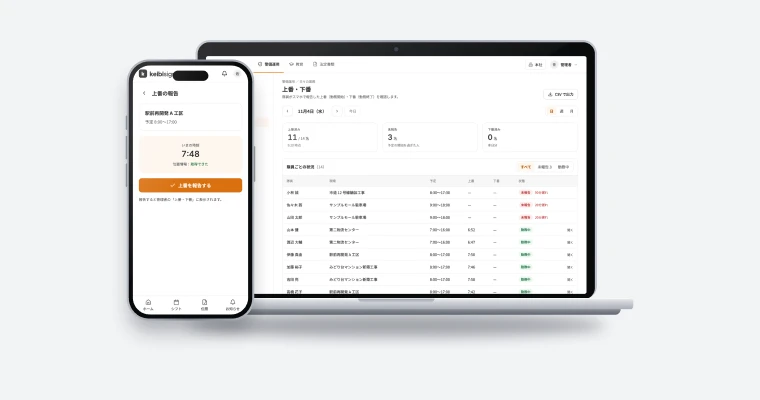
The AI assignment screen and the guard’s smartphone. In the control screen, one action fills open slots in the schedule with staff; on the phone, guards report arrival and collect the client’s signature on the work slip.

  • Operations
  • Training
  • Statutory docs

Operations / Daily work

Assignments

Nov 2026
1Sun2Mon3Tue4Wed5Thu6Fri7Sat8Sun9Mon
Office tower AMamiyaKudoSajimaKanbaraKawabeWatanabeSatoItoMamiya
Site B (construction)KanbaraKawabeWatanabeSatoItoMamiyaKudoSajimaKanbara
Mall CSatoItoMamiyaKudoSajimaKanbaraKawabeWatanabeSato
Plant DKudoSajimaKanbaraKawabeWatanabeSatoItoMamiyaKudo
Event EKawabeWatanabeSatoItoMamiyaKudoSajimaKanbaraKawabe
Parking FItoMamiyaKudoSajimaKanbaraKawabeWatanabeSatoIto
✦AI assignment
AI plan applied — 54 slots
7:52
keibisign

Today’s shift

Office tower A08:00–17:00 · Facility security
TomorrowSite B (construction) · 08:00–17:00

Arrival / Office tower A

Inside the site area · 07:52

Arrival reported

Work slip / Office tower A

Facility security × 108:00–17:00

Client signature

Signature received
Features

What Security Sign does

Sites and assignments

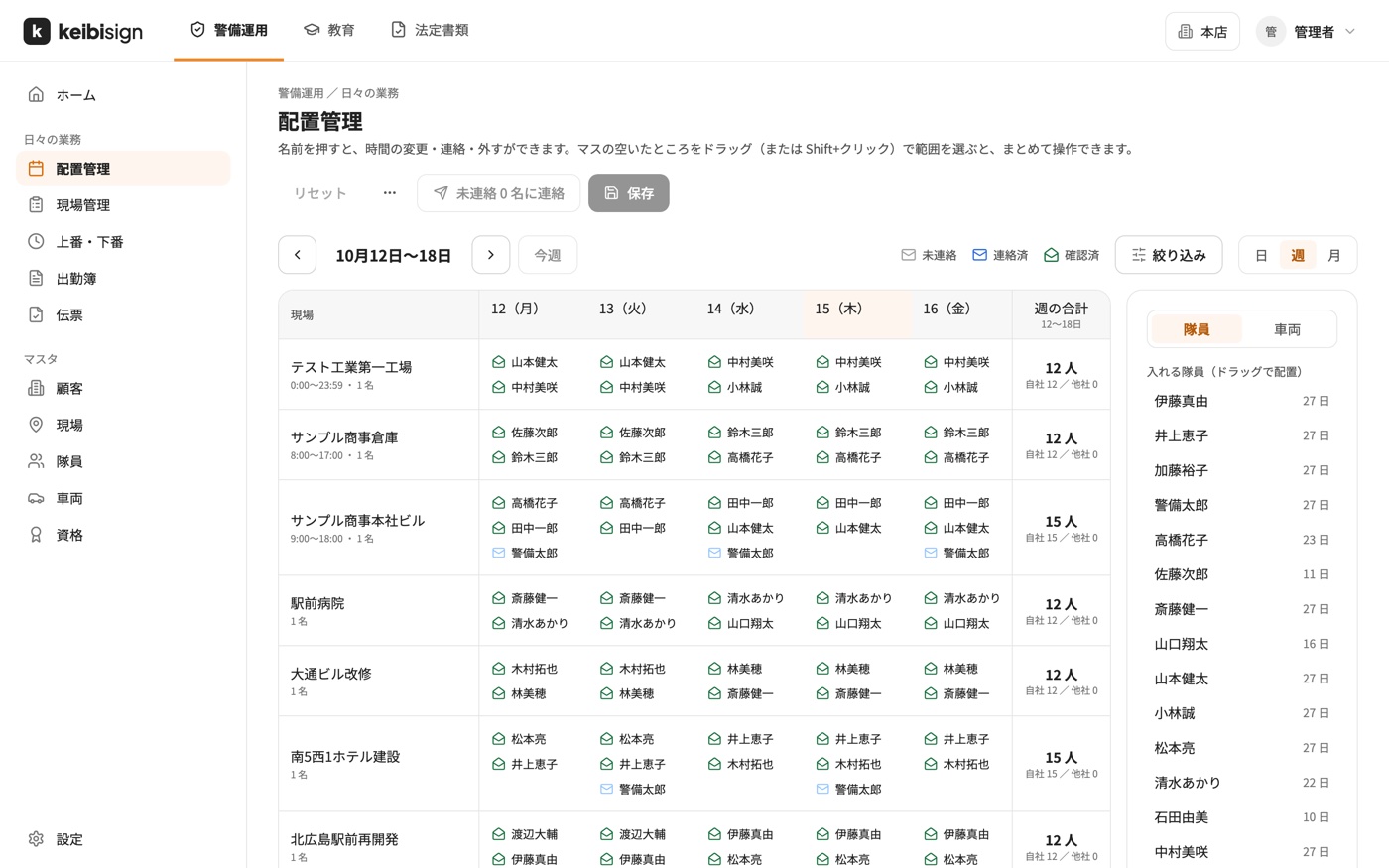
A monthly calendar shows each site’s staffing, and you manage daily headcount and working hours. Adjust staff and vehicle assignments by drag and drop, with days off and shift patterns reflected.

  • Vacancy alerts to prevent gaps
  • Automatic totals of shifts and hours
  • Multiple sites managed in one place
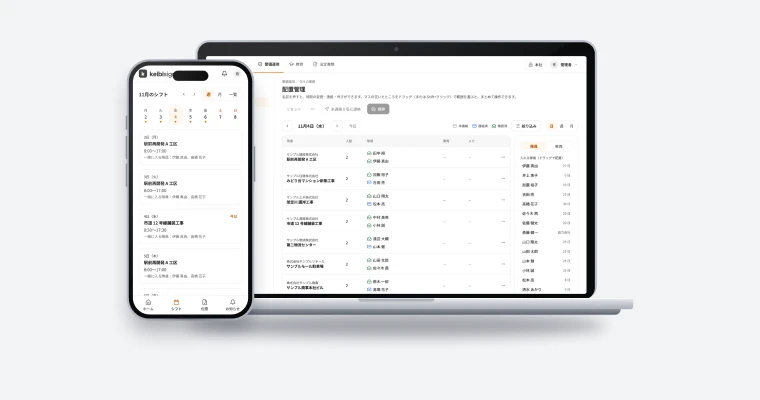
Security Sign assignments

AI assignment

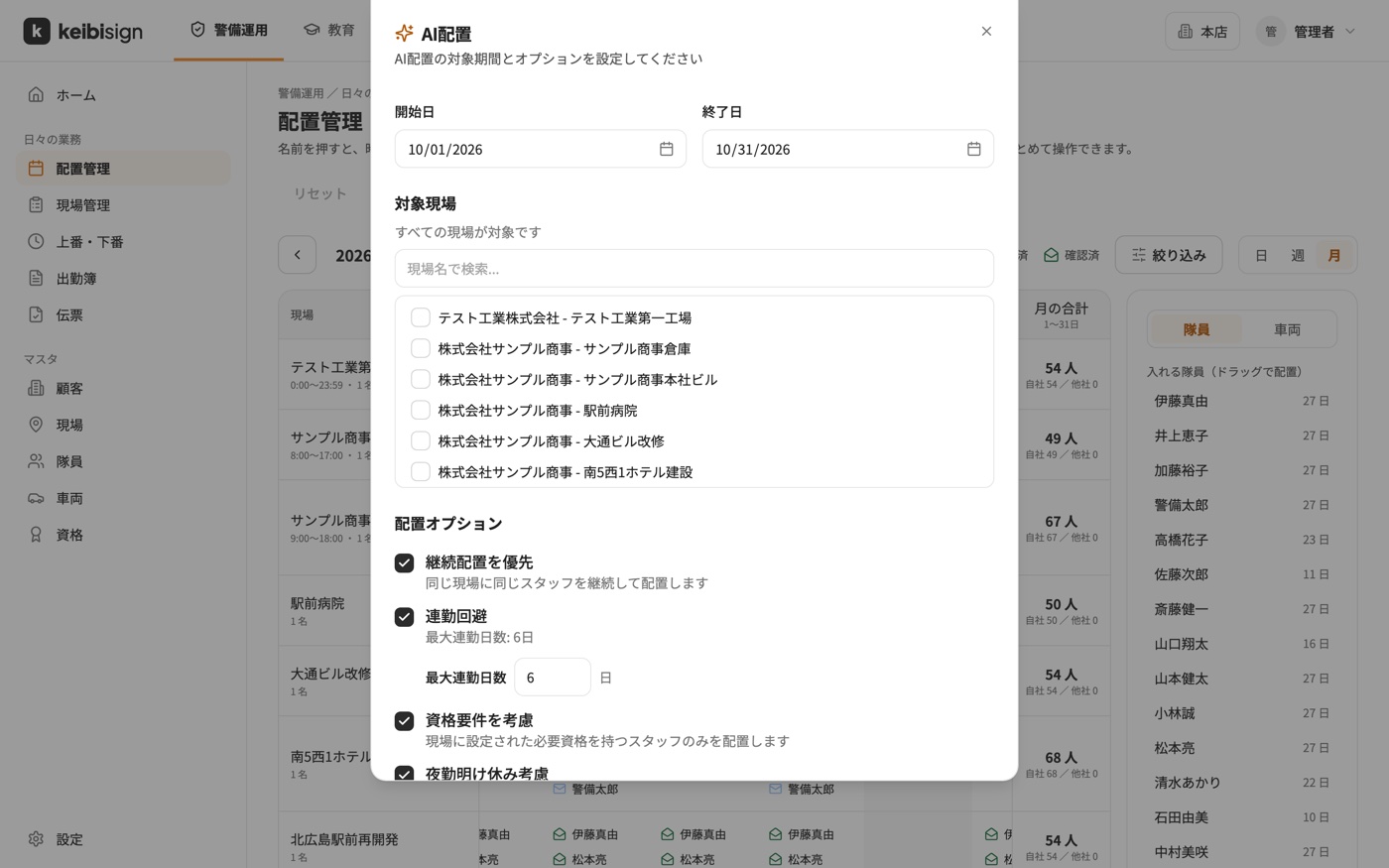
AI assignment weighs required headcount per site, staff days off, pairing conditions, duplicate avoidance and required qualifications at once, and creates an assignment plan automatically. Preview the plan and apply it in one step.

  • Priority for continuity at the same site
  • Assignments anyone on the team can run
  • Fewer hours of control-room work
Security Sign AI assignment

Slips and check-in/check-out reports

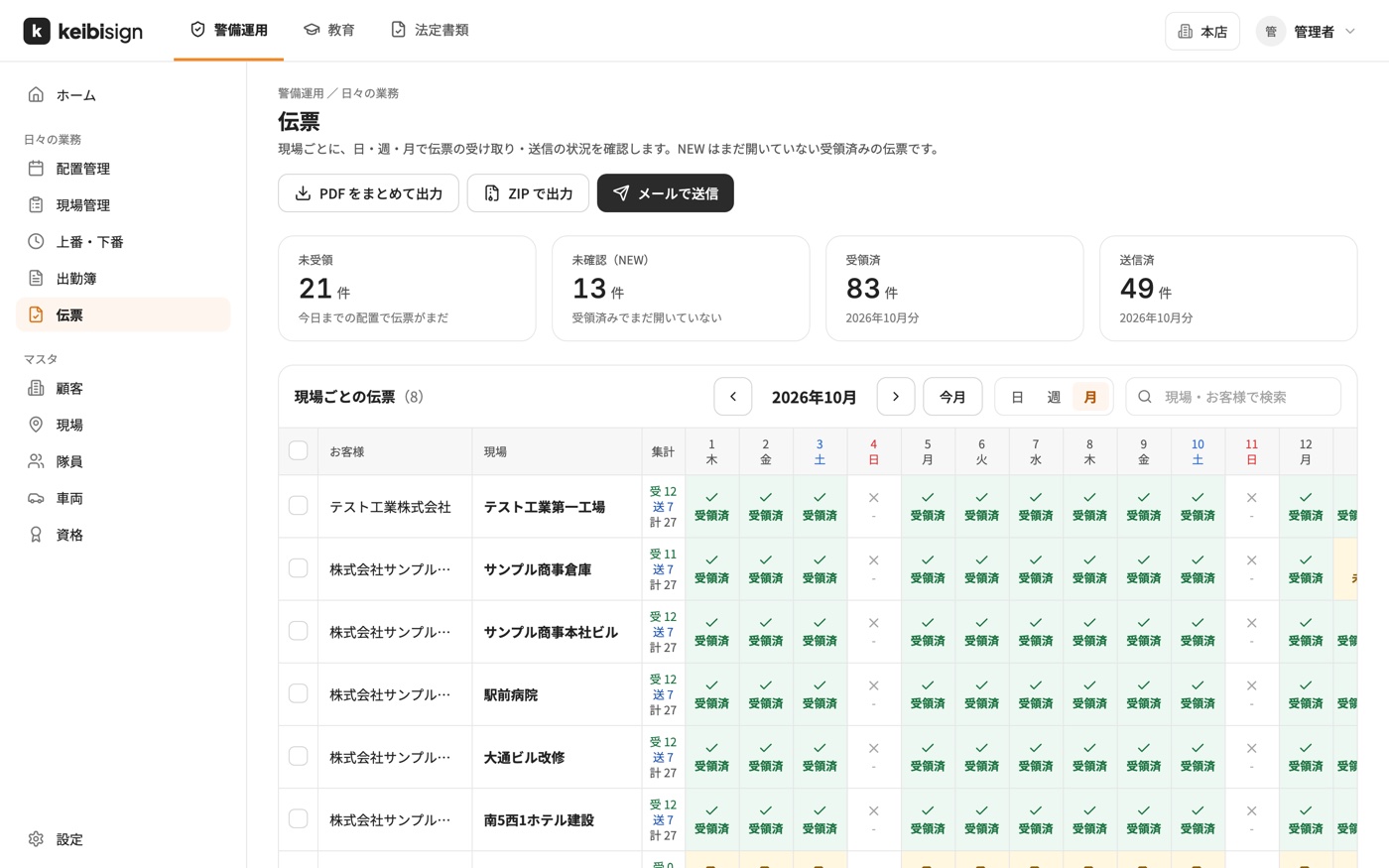
A calendar by site and day shows which slips have been received and sent. Unopened slips are marked NEW, and days without a slip stand out. Both electronic and paper signatures are supported, and check-in and check-out are recorded with GPS location.

  • Handwritten signatures on tablets
  • Bulk PDF export and email to customers
  • Audit log of changes
Security Sign slips
Flow

Getting started

From sign-up to production.

  1. Contact us

    Tell us the number of guards and sites and the options you need.

  2. Quote

    We prepare a quote sized to your operation.

  3. Set up

    Register sites, staff and shift patterns. Service can start as early as one week after you apply.

  4. Go live

    The control room works in the browser, and guards use the smartphone app.

FAQ

FAQ

Service can start as early as one week after you apply. The timeline depends on scale and customization.
You can cancel immediately or at renewal.
Guards check shifts and site details in the smartphone app and report check-in and check-out from the app.

Talk to us about Security Sign.

We reply within two business days.