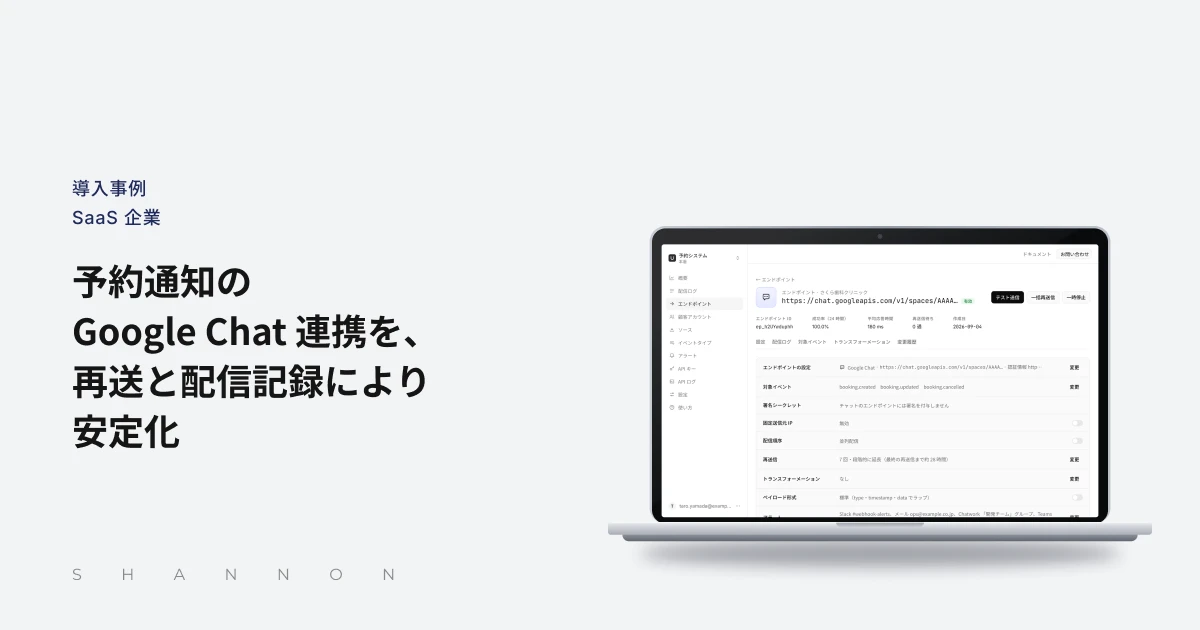
The service sends notices of new, changed and cancelled bookings through Webhook Admin to clinics’ and shops’ chat tools and systems. Notices are retried when a chat service briefly refuses them, and delivery records show what happened.
Challenges before adoption
- Booking notices were lost whenever a chat service briefly refused them
- No record to check afterwards whether a notice had arrived
- Few ways for clinics and shops to add or check destinations themselves
Results after adoption
- Failed notices are retried automatically, stabilizing the Google Chat integration
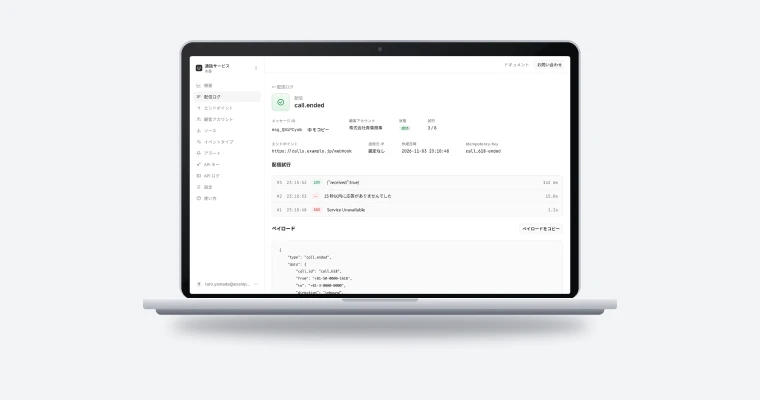
- Failed deliveries and their causes can be checked in the delivery records
- Clinics and shops run test sends and pause or resume destinations themselves
| Customer | A SaaS company |
|---|---|
| Product | Webhook Admin |
| Adopted | October 2026 |
This company provides a SaaS that manages bookings and staff shifts in one place for clinics and for shops such as repair garages. Its users range from businesses with several locations to shops run by a single person, and reception staff check the state of bookings in between treatments and jobs throughout the day.
The service notifies each clinic or shop in its chat tool when a booking is made or changed. Many of them receive these notices in Google Chat, and the reliability of the notices is seen as a direct measure of the service’s quality. The company moved this notification system onto Webhook Admin to make the integration more stable and of higher quality. This is how that work unfolded.
Booking notices as the starting point of the working day
For clinics and shops using the service, booking notices are where much of the day’s work begins. A new booking prompts reception to plan preparations and staff to check their time slots. A cancellation frees a slot that can be offered to another patient or customer, and a change has to be passed on to the people involved.
Chat notifications support all of this. Most clinics and shops already use Google Chat, Microsoft Teams, Slack or Chatwork for internal communication. When booking notices arrive in the same place, staff can see what is happening without reopening the admin screen and can talk it over with colleagues right there. The company has prioritized chat as a destination precisely to fit this way of working.
Notices cover more than new bookings. Changes, cancellations, arrivals and day-before reminders are all events that clinics and shops want to know about. Which events go to which destination differs from one user to the next, so there are as many notification setups as there are users.
As the number of clinics and shops grows, so do the number of notices and destinations. Notices cluster at busy booking times, which means sending many messages to chat services in a short period. The notification system needed to scale smoothly with the user base.
Notices lost when a chat service refused them
Previously, the service sent messages directly to the chat destination each clinic or shop had registered. When sending succeeded, all was well. But if the chat service was briefly congested or stopped responding for a short time, the notice was simply lost.
A brief problem on the chat service side is beyond the sender’s control. For the receiving clinic or shop, however, all that remains is a notice that never came. Missing a new booking can delay preparations, and missing a cancellation can leave a slot empty, so the effect on operations is real.
What made this harder was the lack of a record showing whether a notice had arrived. When a clinic or shop reported a missing notice, tracing what had happened at the time of sending took effort. It was often impossible to tell whether the chat service had a problem, the destination was misconfigured or the destination had been deleted, and investigations took time.
Destination management was also limited. Clinics and shops had few options when they recreated a chat space or wanted to stop notices for a while. There was no way to confirm a newly registered destination worked, so its correctness was unknown until the first booking came in.
Building retries in-house or using a delivery platform
The company compared several approaches. One was to build a retry mechanism in-house: store failed notices, resend them after an interval and record the results, all within its own service.
This looks simple but raises many questions: how long to wait between retries, how many times to retry, what to do if changes to the same booking pile up during retries, and how to absorb the differences between chat services. None of this relates to booking features, and once built it would need ongoing monitoring and fixes.
The company also considered building delivery logic on top of a general-purpose message queue. Retry rules, delivery records and per-destination management would still have to be built, and with a screen for clinics and shops to manage their own destinations, the burden would be much the same.
In the end the company chose Webhook Admin, which bundles what delivery requires: event types, per-destination management, retries, delivery records, test sends and pausing and resuming destinations, with direct delivery to Google Chat, Teams, Slack and Chatwork. Handing delivery over meant development effort could go into booking and shift features.
Reorganizing booking activity into events
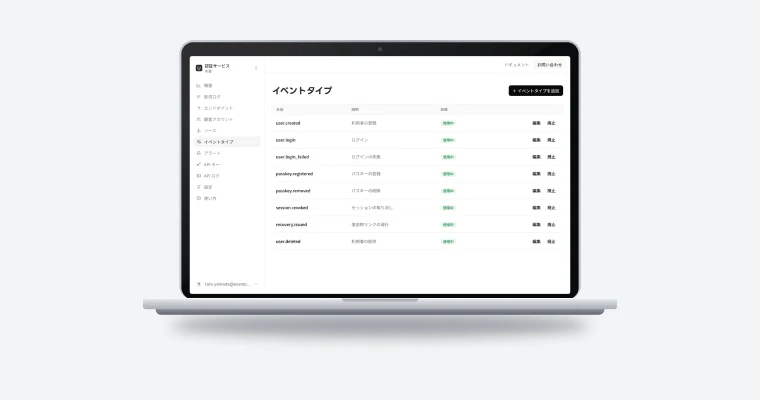
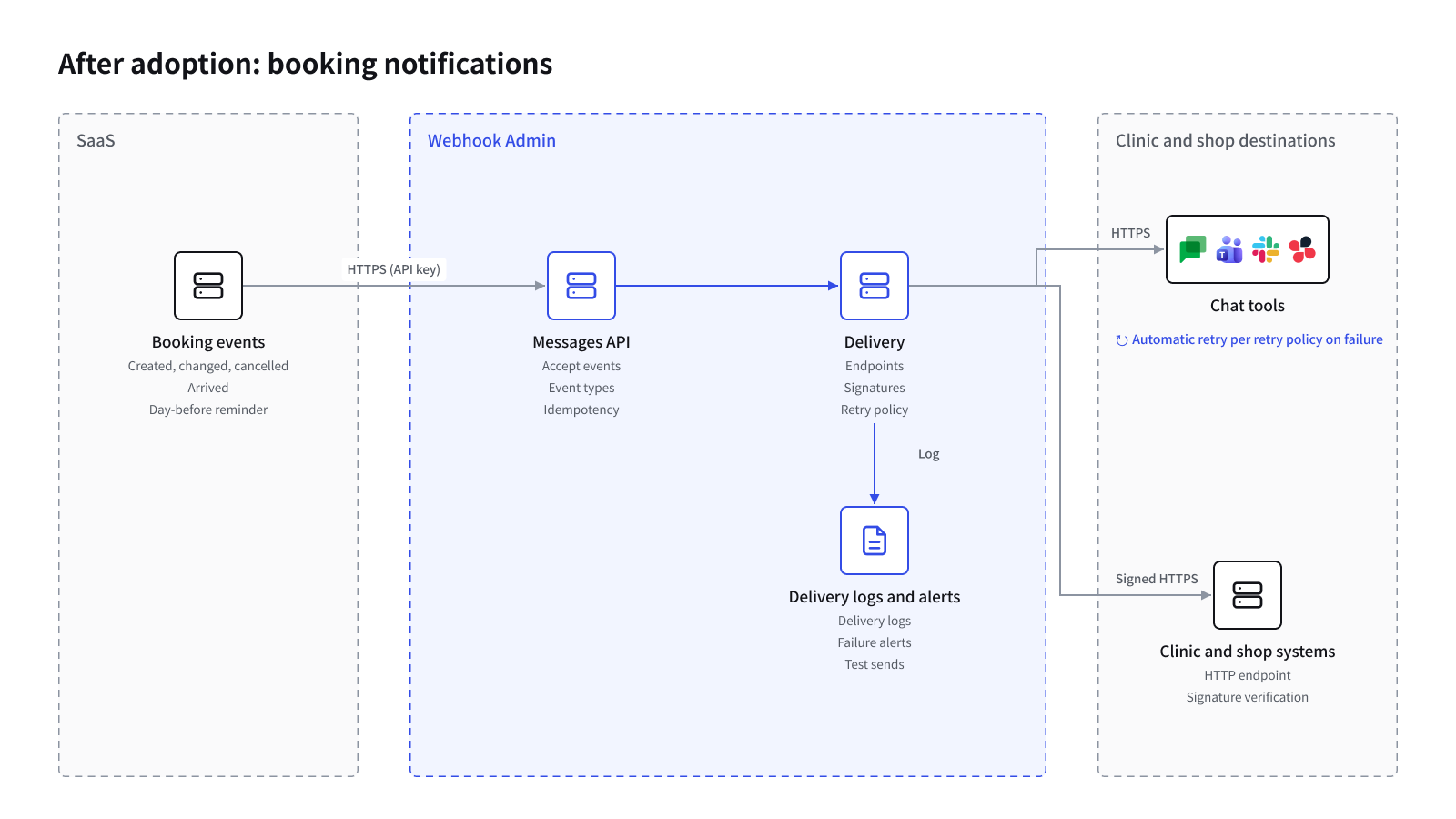
The first step was to organize booking activity into event types. New bookings, changes, cancellations, arrivals and day-before reminders were each registered as separate event types in Webhook Admin, so clinics and shops can choose only the notices they need.
The content of each event was reviewed at the same time. Chat notices are seen by many staff members. The company organized the fields for each event so that information needed for preparation, such as the date, time and menu, is included, while information about patients and customers is kept to what the work requires. Defining content per event type also made notice wording consistent across clinics and shops.
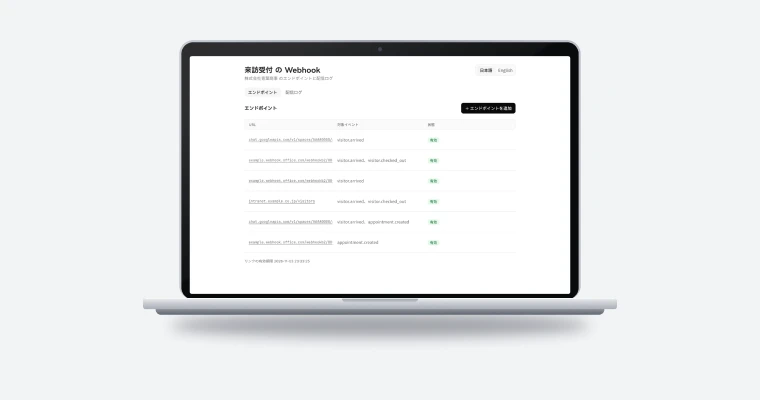
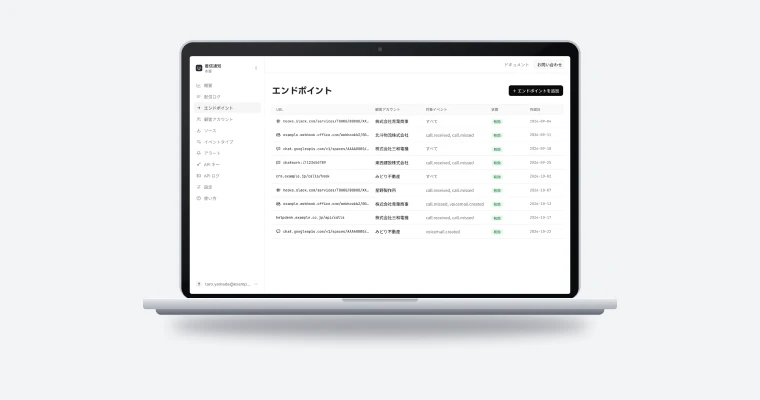
Next, destinations were organized per clinic or shop. Clinics and shops register their destinations on the service’s settings screen. Each destination is linked to the clinic or shop in Webhook Admin, so which events go where is managed in one place. The service only has to send an event once when something happens, and Webhook Admin handles delivery from there.
Migration started with Google Chat, the most heavily used destination. Existing Google Chat destinations were moved to Webhook Admin, and the delivery records were checked to confirm notices were arriving as before. Once Google Chat was running smoothly, Teams, Slack and Chatwork destinations followed.
In informing clinics and shops, the company kept changes to a minimum. Where and how destinations are registered stayed largely the same, and the new test send and pause and resume options were introduced through guidance on the settings screen and an announcement. The priority was that users could keep receiving notices without learning anything new.
Operations that make failed deliveries visible
Operationally, the company’s main concern was not to overlook notices that failed. When a chat service briefly refuses a notice, Webhook Admin resends it after an interval. If the problem is short-lived, the notice arrives before the clinic or shop notices anything.
If retries still fail, the result is kept in the delivery records. Support staff can check failed notices there and see what response the destination returned. Because they can tell from the records whether a space was deleted or a setting was wrong, their guidance to clinics and shops has become more specific.
Clinics and shops can now check their own destinations too. After registering a new one, they can confirm on the spot with a test send that notices arrive. When recreating a chat space or wanting to stop notices for a while, they can pause the destination and resume it once ready, with less worry about notices continuing to go to a space no longer in use.
Changes in support and development
With the move to Webhook Admin, booking notices are retried through brief outages and the Google Chat integration has become stable. Whether a notice arrived can be checked in the delivery records, so reports of missing notices can be handled calmly based on the record.
Clinics and shops have more control over their notices. They can register, check, pause and resume destinations on the settings screen without contacting support. Fewer exchanges about notification settings have also eased the load on the company’s support team.
On the development side, the company no longer has to carry a delivery system of its own. Adding a new kind of notice means registering an event type and sending it from the service, and retries and delivery records come with it. Developers can spend more time on the service’s core features, booking reception and shift management.
Toward integration with clinics’ and shops’ systems
Going forward, the company plans to use Webhook Admin beyond chat, for integrations with external systems used by clinics and shops. Because Webhook Admin can also deliver to HTTP destinations, sending booking events directly to those systems can be handled with the same mechanism.
Integrating with external systems requires the clinic or shop side to prepare a receiver. The company intends to document what each event type contains so that clinics, shops and their integration partners can check it, and to guide them in confirming that their receiver works using test sends.
As integrations grow, operations such as retries, delivery records and pausing and resuming destinations stay the same. The company will extend the practices it established for chat notifications as it builds an environment in which clinics and shops can put booking information to use in their daily work.
Key features
- Event types
- Delivery to Google Chat, Teams, Slack and Chatwork
- Retries and delivery records
- Test sends
- Pausing and resuming destinations